Contacts, not chat threads
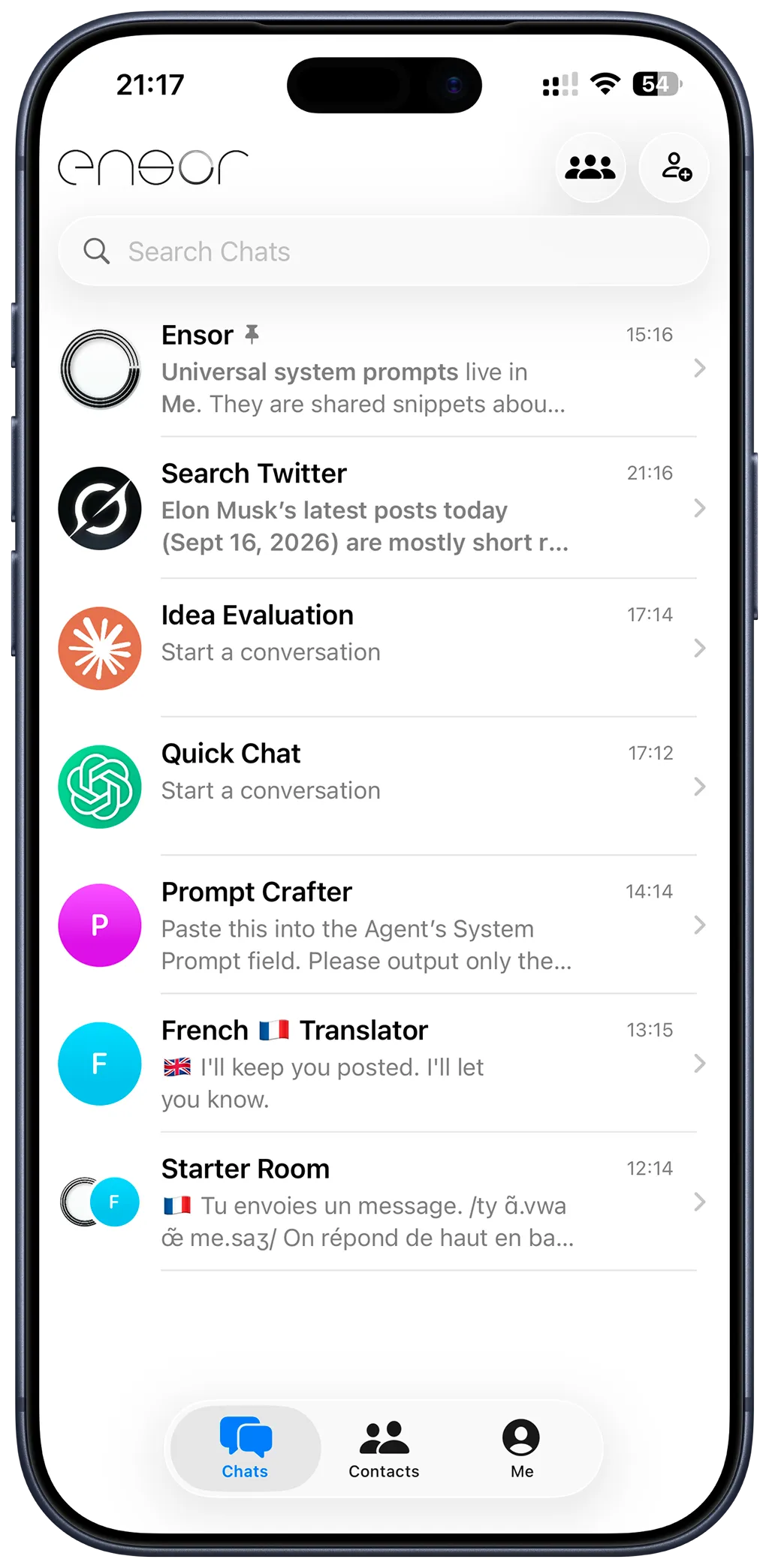
Most AI apps give you one assistant and an endless list of threads. Ensor works like your phone’s contacts and messages: you keep a list of AIs, each built for one job, and open the one you need. This is the core idea behind Ensor and what sets it apart from other BYOK chat apps.
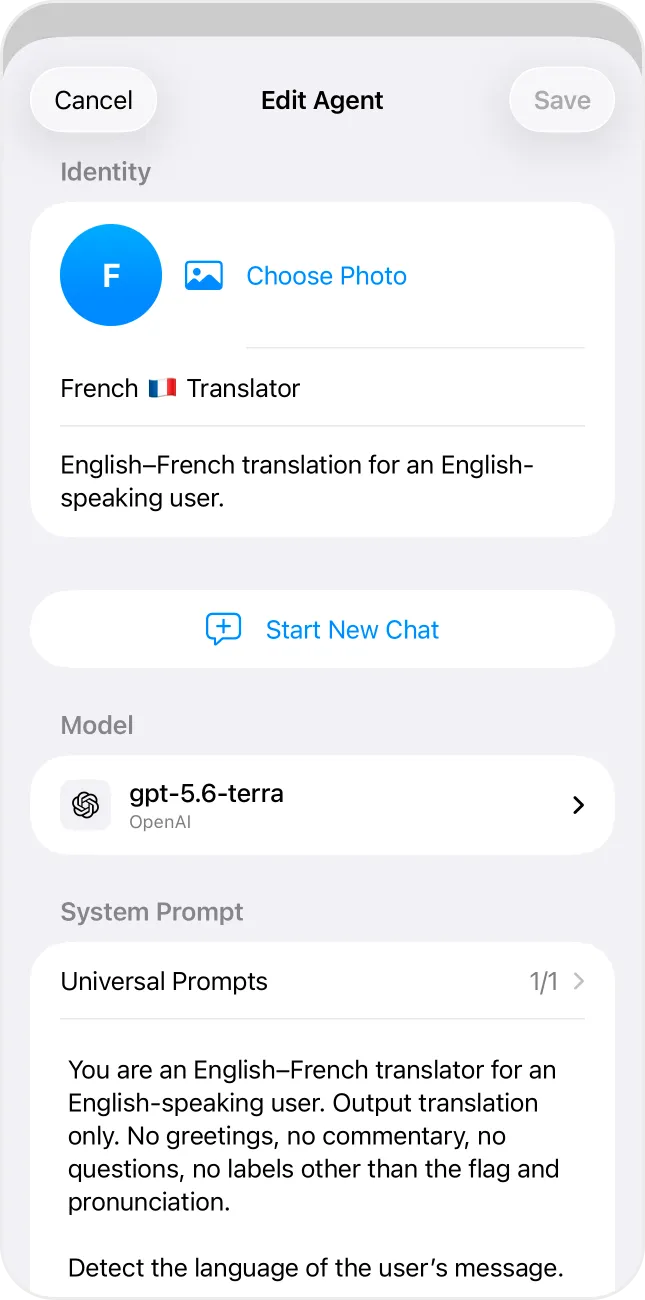
What every AI contact has
- Identity — name, avatar (initials or a photo) and a short description.
- Provider and model — OpenAI, Anthropic, Gemini, xAI, DeepSeek, OpenRouter or an OpenAI-compatible endpoint.
- Its own API key — stored separately in the iPhone Keychain.
- System prompt — the role and rules this AI follows.
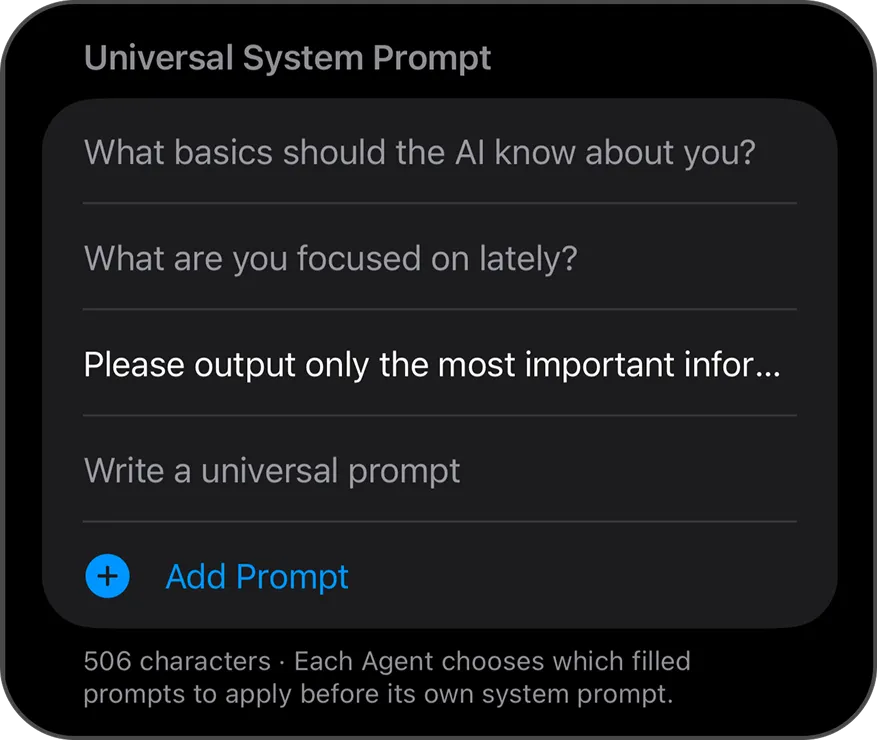
- Universal prompts — choose which shared notes about you it should use.
- Options — web search on supported providers, temperature, max output tokens and streaming.
- Usage — the token usage its provider reports, day by day.
Ideas for AI contacts
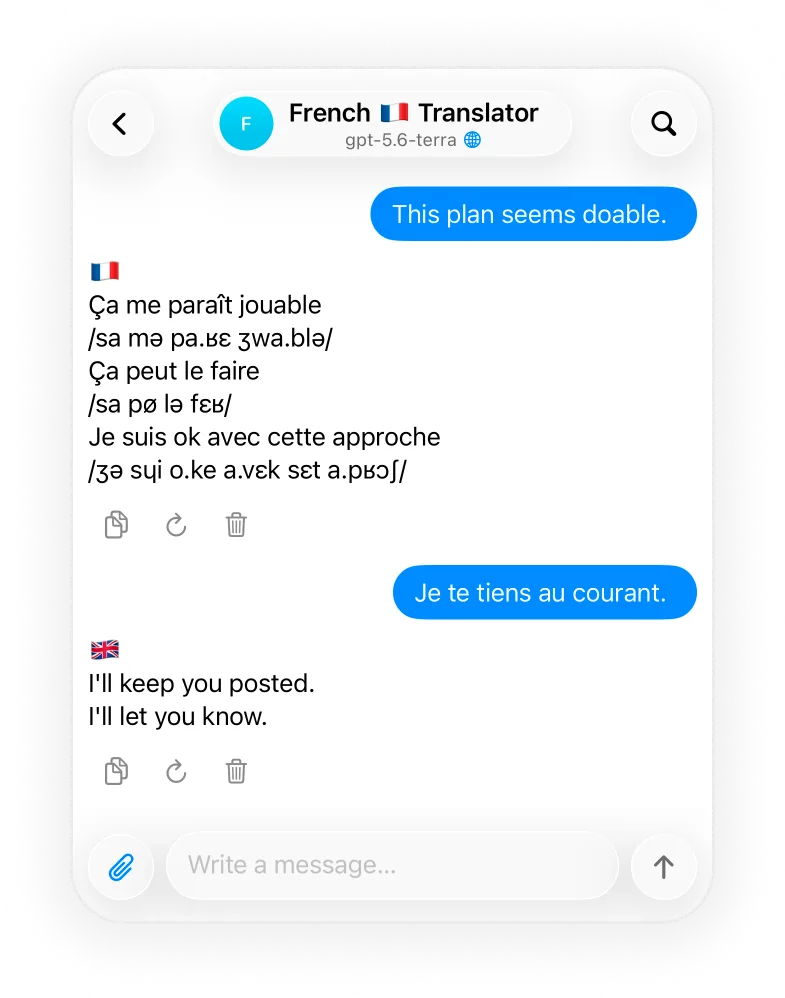
- A translator that replies with only the translation and pronunciation.
- A writing editor that keeps your tone.
- A code reviewer on a strong reasoning model.
- A research assistant with web search turned on.
- A quick everyday chat on a fast, inexpensive model.
Many chats, one AI
Open several independent chats with the same AI contact — one for work, one for study — without duplicating the contact. You can also duplicate an AI to start a new one from an existing setup.
Want several AIs to answer together? Put them in an AI group chat. New to API keys? Start with how to use your own API key on iPhone.
Frequently asked questions
What is an AI contact?
In Ensor, an AI contact is a saved AI assistant that lives in your Contacts tab like a person. It has its own name, avatar, description, provider, model, API key and system prompt, and keeps its own conversations.
How is this different from custom instructions?
Custom instructions usually apply to one assistant. In Ensor every AI contact is independent: a translator on GPT, a code reviewer on Claude and a researcher on Gemini can sit side by side, each with its own prompt and key.
Can I have several chats with the same AI contact?
Yes. Start a new chat from the contact to keep topics apart. The AI keeps the same persona and model; each chat has its own history.
Can I share prompts between AI contacts?
Yes. Universal system prompts in the Me tab hold shared notes about you or your preferred style. Each AI contact chooses which ones to apply before its own system prompt.