Ensorv1.1.4

Tell us how Ensor is doing.

This update fixes a few bugs, and it adds one thing we’ve wanted for a while: a way to hear from you.

Ensor has no account and no server, so there’s nowhere for feedback to go. We kept it that way. When the app asks what you think, it opens a short, anonymous form in your browser — and nothing else. The app itself still only connects to the AI providers you set up, and you can keep checking that in the iOS App Privacy Report.

You’ll see it in two places: • After a few chats, a small prompt asks how Ensor is working for you • Anytime, under Me → Feedback: send feedback, or vote on what to build next

Both are optional, and neither asks who you are.
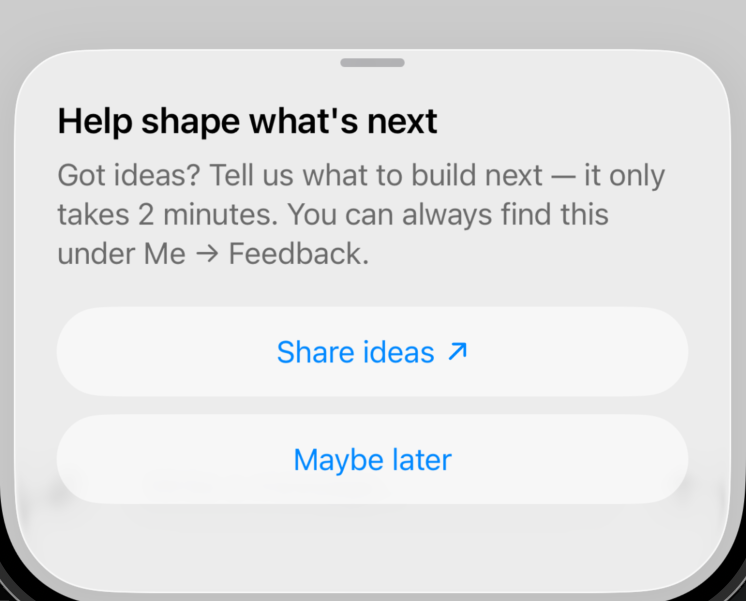
Ensor asking for ideas on what to build next, with Share ideas opening in the browser and a Maybe later optionSend feedback →Vote on what’s next →How to verify Ensor has no server →
Ensorv1.1.3

Your contacts can reply with a picture.

Pick an image model, send a message, and the picture shows up in the chat.

It works with: • OpenAI image models, including gpt-image and DALL·E • OpenRouter image models, including ones that only draw • Gemini image models, and OpenRouter chat models that can answer with text and a picture

On OpenRouter, attach a photo and the image model can use it as a reference.

Also new: • Search the model list. The picker looks through that provider’s models, not only the short suggested set. • A switch in Me: Inject app instructions. Leave it on, and Ensor keeps adding its formatting and group-chat notes. Turn it off, and only your own prompts go out — your Universal Prompts, the contact’s system prompt, and the group prompt. Ensor asks before you turn it off.

Fixed: • Some image-only models failed with “model does not exist.” They now draw. • Test Connection counts a returned picture as a successful reply. • Image requests wait longer, so slower models don’t time out.

Ensorv1.1.2

A new core, ready for Ensor on Mac.

Ensor now runs on a brand-new core. You won’t notice it, but it’s the same engine that will power Ensor on Mac, coming soon.

Fixed: some models could fail to return a reply. They now answer as expected.

And a little more you: • Every contact has its own color, picked automatically from its avatar, or chosen by you • Turn on Tint in Me → Appearance, and your messages take the color of the AI you’re talking to

An Ensor chat with an OpenAI contact, where the user’s messages are tinted green to match its avatar

Ensor

Group chats now work the way you do.

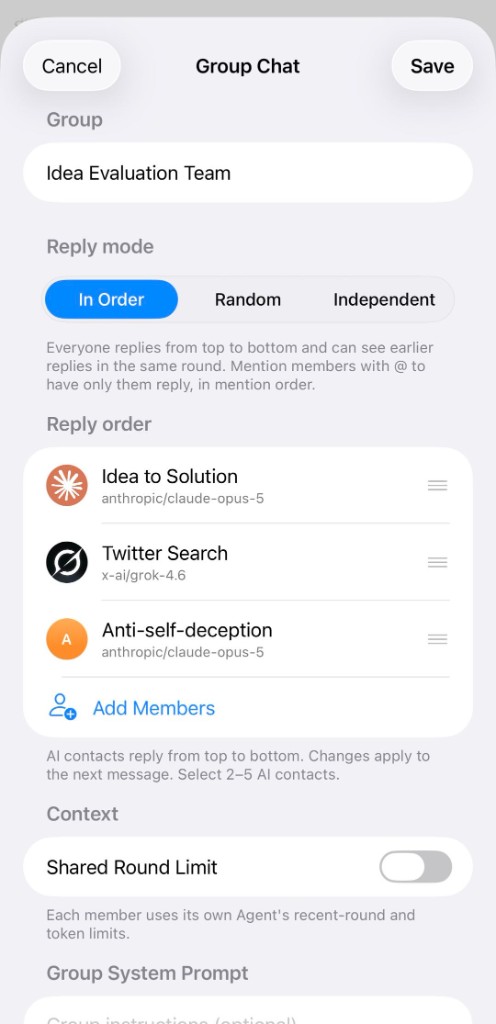
Everyone uses an AI group chat differently. Some want a debate. Some want five honest answers to the same question. Some just want one AI to jump in. So now you choose how they reply:

• In Order — each AI answers in turn and builds on the ones before it. • Random — a new order every round, so no one always speaks first. • Independent — everyone answers the same question without seeing each other’s replies. Real second opinions, no groupthink.

Only need one of them? Type @ and pick a name. Only the AIs you mention reply, in the order you mention them.

Not happy with one answer? Retry just that reply. It answers again from the same point in the chat, and everything else stays as it is.

Also new: • Group instructions that every member follows in this chat • Add, remove and reorder members anytime • A shared memory length, so every AI remembers the same number of rounds

Group chat settings in Ensor with In Order, Random and Independent reply modes, reply order and a shared round limitMore about AI group chats →

Ensor

Share your favorite AI with a friend.

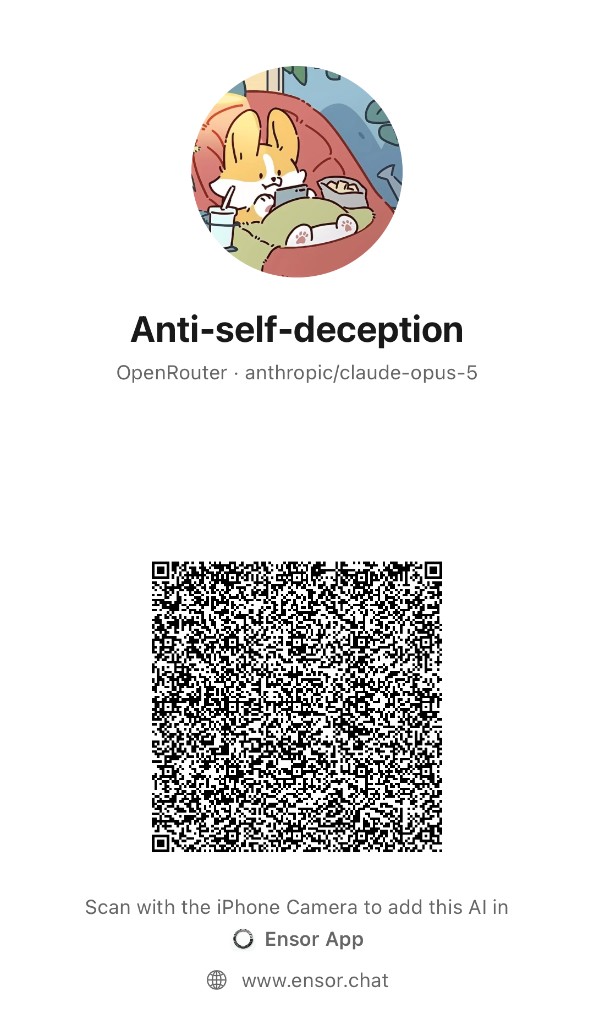
Built an AI contact that just works? Open it, tap Share, and send it as a card with a QR code, or as a link.

Your friend scans the card with the iPhone Camera, or imports it in Ensor from Photos, Files or a copied link. They get the same name, model and prompt — and the avatar too when they import the card image.

Your API key is never included. It stays in your iPhone’s Keychain.

An Ensor share card for the Anti-self-deception AI contact, with its avatar, model and a QR code to add it

No Ensor account. No Ensor cloud. Your AI, your way.

Free · Requires iOS 17 or later · Bring your own API key

Download on theApp Store